Refresh Rate Explained: What It Means for Handheld Gaming PCs
As an Amazon Associate we earn from qualifying purchases. Links on this page are affiliate links.
Refresh Rate Explained for Handhelds
Refresh rate explained is the key to understanding visual smoothness on your handheld gaming PC. It measures how many times per second the screen updates the image. A higher number means smoother motion and less blur during fast gameplay. You see this spec labeled as Hertz or Hz in the product details.
Most handheld gaming PCs come with screens rated at 60Hz. This is the baseline standard. It updates the image sixty times every second. It is sufficient for casual play but may show stuttering in fast-paced shooters or racing games. If you play competitive titles, you might notice a lack of fluidity.
Many modern devices offer 90Hz or 120Hz displays. These provide a noticeable improvement over 60Hz. The motion looks cleaner, and input response feels more immediate. This range is common in mid-range models that balance performance and battery life.
High-end handhelds often feature 144Hz, 165Hz, or even 240Hz panels. These high refresh rates deliver exceptional smoothness. They are ideal for gamers who prioritize visual clarity and rapid reaction times. The difference between 60Hz and 144Hz is stark. Fast movements appear crisp rather than smeared.
When shopping, check the specifications section carefully. Look for the exact Hz value. Do not assume all screens are equal. A 165Hz panel will perform differently than a 120Hz one. Your choice depends on your preferred game genres. Fast action benefits greatly from higher rates. Slower strategy games may not require them.
Keep in mind that higher refresh rates can impact battery life. The screen works harder to update images more frequently. Ensure your handheld’s cooling system can handle the sustained performance. This spec is a critical factor in your overall experience. Choose the rate that matches your visual standards and gaming habits.
Understanding Refresh Rate Options
60Hz
A 60Hz refresh rate updates the screen 60 times per second. This is the standard baseline for most handhelds. It provides smooth enough motion for casual games and slower-paced titles. However, fast-paced shooters or racing games may look less fluid. You might notice slight blur during quick camera turns. This setting conserves battery life compared to higher rates. It is suitable if you prioritize endurance over maximum visual smoothness. Many entry-level devices use this rate. It offers a reliable experience without demanding extra power from the GPU.
90Hz
A 90Hz refresh rate updates the screen 90 times per second. This offers a noticeable step up from 60Hz. Motion appears smoother, reducing blur in action games. The Valve Steam Deck OLED uses this rate, balancing clarity with efficiency. You get better responsiveness without the heavy battery drain of higher rates. It is ideal for players who want improved visuals but do not need extreme frame rates. The trade-off is slightly higher power consumption. It strikes a practical middle ground for most portable gaming sessions. You will feel the difference in fast-moving scenes compared to lower rates.
120Hz
A 120Hz refresh rate updates the screen 120 times per second. This doubles the update frequency of 60Hz screens. The Lenovo Legion Go S and ASUS ROG Ally feature this rate. You experience significantly smoother motion and reduced input lag. Fast-paced games feel more responsive and fluid. This is a sweet spot for many gamers seeking high performance. The trade-off is increased battery usage due to the faster screen updates. You may need to charge more frequently during long sessions. It is best for those who play competitive or action-heavy titles. The visual improvement is clear and impactful for daily use.
144Hz
A 144Hz refresh rate updates the screen 144 times per second. This provides even smoother motion than 120Hz. The Lenovo Legion Go 2 and Legion Go 8.8-inch models offer this rate. You get enhanced clarity in high-speed gameplay. It is beneficial for competitive gaming where every frame counts. The trade-off is higher power consumption and potential heat generation. You may need to manage thermal performance closely. This rate suits gamers who want top-tier visual smoothness. It is not essential for all games but helps in fast-action scenarios. You will notice the difference in rapid movements and camera pans.
165Hz
A 165Hz refresh rate updates the screen 165 times per second. This is a high-end option for handhelds. It offers extremely smooth motion and minimal blur. You benefit from reduced input lag in competitive titles. This rate is ideal for gamers who demand the best visual performance. The trade-off is significant battery drain and potential heat issues. You may need to keep the device plugged in for long sessions. It is best for those who prioritize smoothness above all else. Not all games run at this rate, but when they do, the experience is superior. You get the most fluid visuals available in current handhelds.
240Hz
A 240Hz refresh rate updates the screen 240 times per second. This is the highest common rate for handhelds. It provides ultra-smooth motion and near-instant response. You experience the least amount of blur and input lag. This is perfect for competitive gamers who need every advantage. The trade-off is substantial battery consumption and heat output. You may find it difficult to maintain this rate for long periods. It is best for those who play fast-paced shooters or racing games. The visual experience is unmatched in terms of fluidity. You get the most responsive screen possible for handheld gaming.
Is High Refresh Rate Worth It
Who needs it
You should prioritize a higher refresh rate if you play fast-paced competitive titles. Games like shooters, racing simulators, and fighting games rely heavily on quick reactions. A 144Hz, 165Hz, or 240Hz display reduces motion blur significantly. This clarity helps you track moving targets with precision. The smoother frame transitions also make visual feedback more immediate. If you value competitive advantage and crisp visuals in high-speed scenarios, the extra cost is justified. These rates ensure your input commands translate to on-screen action with minimal latency. The difference is noticeable during intense combat or rapid directional changes. For these genres, the enhanced smoothness directly impacts your performance and enjoyment. It transforms the visual experience from merely playable to highly responsive.
Who can skip it
You can skip the higher refresh rates if you primarily play slower-paced games. Strategy titles, narrative adventures, and puzzle games do not require rapid screen updates. A 60Hz or 90Hz display is sufficient for these genres. The visual smoothness gain is negligible in static or slow-moving scenes. Instead of paying for higher Hz, prioritize battery life or processing power. These components affect game performance and longevity more than the screen speed. A lower refresh rate also conserves energy, extending your playtime on the go. If you are on a budget, saving money here allows for better internal specs. The visual difference is subtle for casual gaming. Focus on resolution and color accuracy for a better overall image quality in non-competitive titles.
Key Refresh Terms
Hertz (Hz)
The unit measuring how many times the screen updates per second. Higher numbers like 144Hz or 165Hz indicate faster updates and smoother motion.
Motion Blur
Visual smearing that occurs when objects move quickly across the screen. A higher refresh rate reduces this effect, making fast action clearer.
Input Lag
The delay between your controller input and the action appearing on screen. Higher refresh rates often lower this delay for more responsive controls.
V-Sync
A setting that syncs the screen refresh rate to the game frame rate. It prevents screen tearing but can sometimes add noticeable input delay.
Frame Rate (FPS)
The number of individual images the processor renders per second. Ideally, this matches your screen’s refresh rate for optimal smoothness without stuttering.
Adaptive Sync
Technology that adjusts the screen refresh rate in real time to match the game’s frame rate. This reduces stuttering and tearing without extra lag.
Screen Tearing
A visual artifact where two or more frames display at once. It happens when the refresh rate and frame rate are out of sync.
Quick picks
| # | Product | Best for | Price |
|---|---|---|---|
| 1 | Lenovo Legion Go S 8" 120Hz | Large-screen portable gaming with high RAM | Check price of Lenovo Legion Go S 8" 120Hz on Amazon |
| 2 | Lenovo Legion Go 2 Handheld Gaming PC | high-fidelity OLED handheld gaming | Check price of Lenovo Legion Go 2 Handheld Gaming PC on Amazon |
| 3 | Valve Steam Deck OLED 512GB | vibrant 90Hz OLED handheld PC gaming | Check price of Valve Steam Deck OLED 512GB on Amazon |
| 4 | ASUS ROG Ally 7" 120Hz Z1 Extreme Handheld | portable 120Hz gaming on a 7-inch screen | Check price of ASUS ROG Ally 7" 120Hz Z1 Extreme Handheld on Amazon |
| 5 | Lenovo Legion Go 8.8" 144Hz | Large screen handheld gaming | Check price of Lenovo Legion Go 8.8" 144Hz on Amazon |
| 6 | Valve Steam Deck OLED 1TB | 90Hz OLED handheld gaming with 2TB storage | Check price of Valve Steam Deck OLED 1TB on Amazon |
Our 6 picks
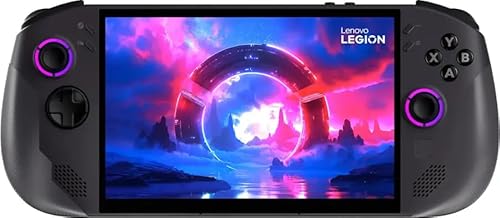
Lenovo Legion Go S 8" 120Hz
Best for: Large-screen portable gaming with high RAM
- Refresh Rate
- 120Hz (what this guide is about)
- Processor
- AMD Ryzen Z1 Extreme
- RAM
- 32GB
- Storage
- 1TB SSD
- Screen Size
- 8"
- Resolution
- 1920x1200
View on Amazon: Lenovo Legion Go S 8" 120Hz Affiliate link
The Lenovo Legion Go S features an AMD Ryzen Z1 Extreme processor paired with 32GB of RAM. It includes a 1TB SSD and an 8-inch WUXGA display with a 120Hz refresh rate. The device runs SteamOS and uses AMD Radeon graphics. This setup supports smooth gameplay for portable gaming. You get a high-resolution screen and ample storage for your library.
Pros
- AMD Ryzen Z1 Extreme processor for strong performance
- 32GB RAM for multitasking and heavy games
- 1TB SSD provides ample game storage
- 8-inch WUXGA display with 120Hz refresh rate
Cons
- 1920x1200 resolution is lower than 4K alternatives
- SteamOS may limit compatibility with non-Steam titles
- No mention of advanced thermal management features
Good fit if
- You want high RAM for smooth multitasking
- You prefer a large 8-inch screen
- You need a 1TB storage capacity
Skip if
- You require 4K resolution for maximum clarity
- You need Windows for specific non-Steam software
- You prefer a smaller, more portable form factor
Verdict: Lenovo Legion Go S 8-Inch Handheld is ideal for gamers who prioritize screen size and memory capacity. It suits those who want a large display and fast storage for their portable gaming setup.
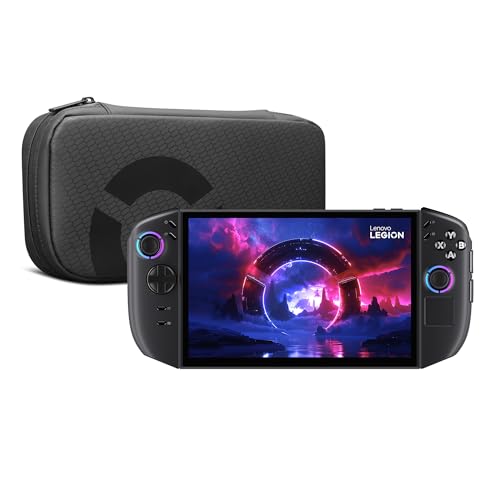
Lenovo Legion Go 2 Handheld Gaming PC
Best for: high-fidelity OLED handheld gaming
- Refresh Rate
- 144Hz (what this guide is about)
- Processor
- AMD Ryzen Z2
- RAM
- 16GB
- Storage
- 1TB
- Screen Size
- 8.8"
- Display Type
- OLED
View on Amazon: Lenovo Legion Go 2 Handheld Gaming PC Affiliate link
The Lenovo Legion Go 2 is a mobile gaming console featuring an AMD Ryzen Z2 processor and an 8.8-inch WQXGA OLED display. It includes 16GB of RAM and a 1TB PCIe SSD for fast performance. The device supports 144Hz refresh rates and offers a 74Whr battery for extended play. It connects via Wi-Fi 6E and Bluetooth 5.3. This system suits players who want high-resolution visuals and detachable controllers for versatile gaming.
Pros
- 8.8-inch WQXGA OLED display with 144Hz refresh rate
- AMD Ryzen Z2 processor and 16GB RAM
- 1TB PCIe SSD storage capacity
- Detachable Truestrike controllers with mouse mode
- 74Whr battery for extended unplugged sessions
Cons
- 2.02 pounds weight is substantial for handheld use
- 11.7 inches length may reduce portability
- Integrated dual 2W speakers lack bass depth
Good fit if
- You prioritize high-resolution OLED visuals and fast refresh rates
- You want detachable controllers for mouse-like aiming in FPS games
- You need ample storage for large game libraries
Skip if
- You prefer a lighter device for extended carrying
- You require integrated controllers for maximum compactness
- You are sensitive to device weight during long sessions
Verdict: Lenovo Legion Go 2 8.8" OLED delivers high-end specs with its OLED panel and Ryzen Z2 chip. It fits gamers who value visual fidelity and versatile controller configurations over ultra-portability.

Valve Steam Deck OLED 512GB
Best for: vibrant 90Hz OLED handheld PC gaming
- Refresh Rate
- 90Hz (what this guide is about)
- Storage
- 512GB SSD
- Screen Size
- 7.4"
- Display Type
- HDR OLED
- Color
- Black
- Size
- 2TB
View on Amazon: Valve Steam Deck OLED 512GB Affiliate link
The Valve Steam Deck OLED 512GB is a dedicated handheld gaming PC built around a 7.4-inch HDR OLED panel. Its 90Hz refresh rate delivers smoother frame delivery than standard 60Hz panels while conserving battery compared to higher 120Hz or 144Hz screens. It suits you if you want deep OLED contrast paired with fluid 90Hz motion on PC titles.
Pros
- 7.4-inch HDR OLED display with 90Hz refresh rate
- Wi-Fi 6E connectivity for lower download latency
- Dedicated Bluetooth antenna for multi-controller pairing
- Upgraded 512GB solid-state storage
Cons
- 90Hz maximum refresh rate is lower than 120Hz and 144Hz competitors
- Original factory seal is opened to install the SSD upgrade
- 512GB storage capacity is smaller than 1TB alternatives
Good fit if
- You want an HDR OLED screen running at a fluid 90Hz refresh rate.
- You prioritize power efficiency over higher 120Hz or 144Hz panel speeds.
- You use Wi-Fi 6E networks for fast game downloads.
Skip if
- You require a 120Hz or 144Hz display for maximum handheld frame rates.
- You want a console with an untouched factory seal.
- You need 1TB or more of built-in storage.
Verdict: Valve Steam Deck OLED 512GB fits players who prioritize vivid OLED contrast and reliable 90Hz motion clarity over extreme refresh rates.

ASUS ROG Ally 7" 120Hz Z1 Extreme Handheld
Best for: portable 120Hz gaming on a 7-inch screen
- Refresh Rate
- 120Hz (what this guide is about)
- Processor
- AMD Z1 Extreme
- Storage
- 512GB
- Screen Size
- 7 inch
- Color
- White
- Dimensions
- 11 × 4.4 × 0.8 inches
View on Amazon: ASUS ROG Ally 7" 120Hz Z1 Extreme Handheld Affiliate link
The ASUS ROG Ally 7 features a 7-inch display with a 120Hz refresh rate. It uses an AMD Ryzen Z1 Extreme processor and includes 512GB of storage. The device measures 11 x 4.4 x 0.8 inches and weighs 1.1 pounds. This configuration offers a balanced performance-to-portability ratio for handheld gaming. You get smooth visuals on a compact screen without the bulk of larger models.
Pros
- 120Hz refresh rate for smoother motion
- AMD Ryzen Z1 Extreme processor
- 512GB internal storage capacity
- Compact 7-inch screen size
Cons
- Heavier than some competitors at 1.1 pounds
- Smaller 7-inch screen compared to 8.8-inch options
- Renewed condition may affect warranty coverage
Good fit if
- You prefer a lighter, more portable device
- You want high refresh rates on a 7-inch screen
- You need 512GB of storage for your library
Skip if
- You require a screen larger than 7 inches
- You want a brand-new unit with full warranty
- You prefer a lighter device under 1 pound
Verdict: ASUS ROG Ally 7 120Hz White is a solid choice for gamers who prioritize portability and a 120Hz display on a 7-inch screen. It suits those who want strong performance in a compact, white chassis.

Lenovo Legion Go 8.8" 144Hz
Best for: Large screen handheld gaming
- Refresh Rate
- 144Hz (what this guide is about)
- Processor
- AMD Ryzen Z1 Extreme
- RAM
- 16GB RAM
- Storage
- 512GB SSD
- Screen Size
- 8.8"
- Resolution
- WQXGA
View on Amazon: Lenovo Legion Go 8.8" 144Hz Affiliate link
The Lenovo Legion Go features an 8.8-inch WQXGA touchscreen with a 144Hz refresh rate. It uses an AMD Ryzen Z1 Extreme processor and 16GB of RAM. The 512GB SSD provides storage. This large display suits you if you want immersive visuals. The 144Hz rate offers smooth motion. It fits handheld gaming on the go.
Pros
- 8.8-inch WQXGA touchscreen display
- 144Hz refresh rate for smooth visuals
- AMD Ryzen Z1 Extreme processor
- 16GB RAM for multitasking
- 512GB SSD storage capacity
Cons
- Heavier at 14.1 ounces
- Larger 8.8-inch screen reduces portability
- No mention of headphone jack
Good fit if
- You prioritize screen size and clarity
- You want a 144Hz refresh rate
- You value high RAM capacity
Skip if
- You need a lighter handheld device
- You prefer a smaller 7-inch screen
- You require a 240Hz display
Verdict: Lenovo Legion Go 8.8" 144Hz delivers a large, smooth visual experience for players who value immersion over compact size.
Valve Steam Deck OLED 1TB
Best for: 90Hz OLED handheld gaming with 2TB storage
- Refresh Rate
- 90Hz (what this guide is about)
- Storage
- 2TB SSD
- Screen Size
- 7.4"
- Display Type
- HDR OLED
- Storage Capacity
- 1TB
- Color
- Black
View on Amazon: Valve Steam Deck OLED 1TB Affiliate link
This handheld gaming PC pairs a 7.4-inch HDR OLED display with a 90Hz refresh rate. The 90Hz panel provides smoother motion than standard 60Hz screens while conserving battery compared to higher-refresh alternatives. With an updated AMD APU and an upgraded 2TB SSD, it gives you ample local storage for large game installs and responsive portable play.
Pros
- 7.4-inch HDR OLED panel with vibrant colors
- 90Hz refresh rate for smoother motion than standard 60Hz screens
- Upgraded 2TB SSD local storage
- Wi-Fi 6E support for faster download speeds
Cons
- 90Hz refresh rate is lower than 120Hz and 144Hz alternatives
- Factory seal is opened to install the SSD upgrade
Good fit if
- You want an HDR OLED panel capped at 90Hz to balance motion clarity and battery life.
- You need 2TB of internal storage ready out of the box.
- You use Wi-Fi 6E networks for fast wireless library downloads.
Skip if
- You want a faster 120Hz or 144Hz panel for higher frame rate ceilings.
- You prefer a factory-sealed unit without third-party internal hardware modifications.
Verdict: Valve Steam Deck OLED 2TB suits players who prioritize contrast-rich OLED visuals at 90Hz alongside maximum internal installation space.
Specifications side by side
| Spec | Lenovo Legion Go S 8" 120Hz | Lenovo Legion Go 2 Handheld Gaming PC | Valve Steam Deck OLED 512GB | ASUS ROG Ally 7" 120Hz Z1 Extreme Handheld | Lenovo Legion Go 8.8" 144Hz | Valve Steam Deck OLED 1TB |
|---|---|---|---|---|---|---|
| Processor | AMD Ryzen Z1 Extreme | AMD Ryzen Z2 | not stated | AMD Z1 Extreme | AMD Ryzen Z1 Extreme | not stated |
| RAM | 32GB | 16GB | not stated | not stated | 16GB RAM | not stated |
| Storage | 1TB SSD | 1TB | 512GB SSD | 512GB | 512GB SSD | 2TB SSD |
| Screen Size | 8" | 8.8" | 7.4" | 7 inch | 8.8" | 7.4" |
| Refresh Rate | 120Hz | 144Hz | 90Hz | 120Hz | 144Hz | 90Hz |
| Display Type | not stated | OLED | HDR OLED | not stated | not stated | HDR OLED |
| Resolution | 1920x1200 | WQXGA | not stated | not stated | WQXGA | not stated |
| Graphics | AMD Radeon 780M | AMD Radeon Graphics | not stated | not stated | not stated | not stated |
| Operating System | SteamOS | not stated | not stated | not stated | not stated | not stated |
| Storage Capacity | 1TB | 1TB | 512GB | 512GB | 512GB | 1TB |
| Screen Resolution | 1920 x 1200 | WQXGA | not stated | not stated | WQXGA | not stated |
| Color | Nebula Nocturne | Black | Black | White | Black | Black |
| Size | not stated | not stated | 2TB | 4.4 x 11 x 0.8 inches | not stated | 2TB |
| Graphics Card | AMD Radeon | AMD Radeon | not stated | not stated | not stated | not stated |
| Memory | 32GB | 16GB | not stated | not stated | 16GB | not stated |
| Platform | not stated | Mobile | PC | not stated | PC | PC |
| Dimensions | not stated | 11.7 × 5.39 × 1.65 inches | not stated | 11 × 4.4 × 0.8 inches | 5.16 × 8.27 × 0.79 inches | not stated |
| Weight | not stated | 2.02 pounds | not stated | 1.1 pounds | 14.1 ounces | not stated |
| Model | 8APU1 | 83N10009US | not stated | ASUS ROG Ally 7 | 83E10000US | not stated |
If you assess plumbing specs alongside electronics, flow rate explained covers volume measurements when comparing tankless water heaters.
Frequently asked questions
Does a higher refresh rate drain the battery faster?
Yes, updating the screen more times per second requires more power. A 144Hz or 120Hz display consumes more energy than a 60Hz panel. Devices like the Lenovo Legion Go S use 120Hz screens, which may reduce playtime compared to lower refresh options. You should manage expectations for portable sessions when choosing higher refresh rates.
Is 120Hz smooth enough for competitive gaming?
A 120Hz refresh rate provides significantly smoother motion than the standard 60Hz. It reduces blur and offers clearer visuals during fast action. The ASUS ROG Ally 7 and Lenovo Legion Go S both feature 120Hz displays. This level of smoothness is suitable for most competitive titles without requiring the highest available rates.
Can I change the refresh rate on my handheld?
Most handhelds allow you to adjust the refresh rate in the settings menu. You can often switch between options like 60Hz, 90Hz, or 120Hz to balance performance and battery life. Devices like the Valve Steam Deck OLED are set to 90Hz. Check your system settings to see if manual adjustment is available for your specific model.
Does a 90Hz screen look better than 60Hz?
A 90Hz screen updates 50% more often than a 60Hz panel. This results in noticeably smoother motion and less stuttering. The Valve Steam Deck OLED models use a 90Hz refresh rate. You will see a clear improvement in fluidity, especially in games with fast camera movements or rapid character actions.
What is the difference between 144Hz and 165Hz?
The difference is 21 updates per second. A 165Hz screen is slightly smoother than a 144Hz display. Both rates offer high fluidity for fast-paced games. The Lenovo Legion Go 2 and other models support 144Hz. While 165Hz is marginally better, the visual gap between 144Hz and 165Hz is often hard to notice in practice.
Do OLED screens support high refresh rates?
Yes, OLED panels can support high refresh rates like 90Hz or 144Hz. The Valve Steam Deck OLED runs at 90Hz. The Lenovo Legion Go 2 features a 144Hz OLED panel. OLED technology provides excellent contrast, and when combined with a higher refresh rate, it delivers sharp, fluid visuals for gaming.